Text
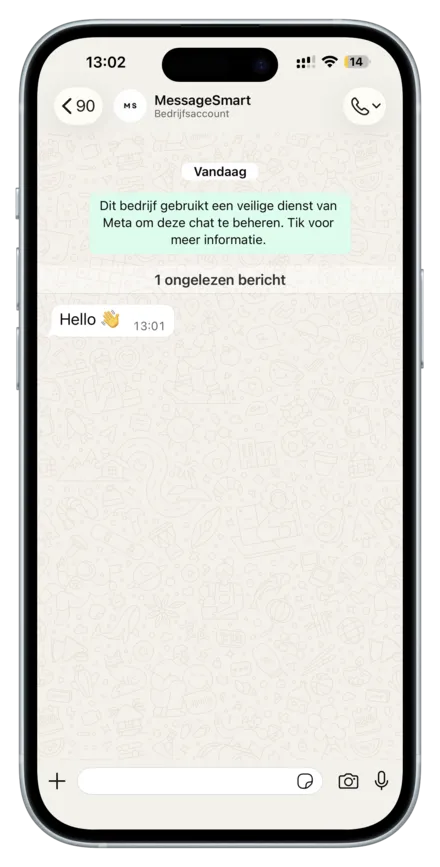
Sends a plain text WhatsApp message to a recipient. This message type is ideal for notifications, confirmations, reminders, and general customer communication.
Common use cases:
- Delivery updates
- Appointment reminders
- Customer support messages
URL
https://api.messagesmart.nl/api/v1/whatsapp/images/messages/text
Headers
See Authentication.
Request body
| Field | Type | Required | Notes |
|---|---|---|---|
| whatsAppBusinessId | string | Yes | Can be collected from the dashboard or provided via webhook |
| whatsAppBusinessPhoneNumberId | string | Yes | Can be collected from the dashboard or provided via webhook |
| to | string | Yes | Recipient phone number in E.164 format |
| body | string | Yes | Message text |
Examples
Response
Success (200 OK)
{
  "success": true,
  "data": {
    "messaging_product": "whatsapp",
    "contacts": [
      {
        "input": "+31612345678",
        "wa_id": "31612345678"
      }
    ],
    "messages": [
      {
        "id": "wamid.HBgLMTY0NjcwNDM1OTUVAgARGBI1RjQyNUE3NEYxMzAzMzQ5MkEA"
      }
    ]
  }
}
Field explanation
data.messaging_product— always"whatsapp"data.contacts[0].input— phone number you sent the message todata.contacts[0].wa_id— WhatsApp internal IDdata.messages[0].id— WhatsApp message ID (useful for reactions)
Validation error (400 Bad Request)
Returned when required fields are missing or invalid.
{
  "success": false,
  "error": {
    "code": "validation_error",
    "message": "whatsAppBusinessPhoneNumberId or whatsAppBusinessId is required",
    "httpStatus": 400,
    "details": null
  }
}
Provider error (502 Bad Gateway)
Returned when the message could not be sent via WhatsApp / Meta.
{
  "success": false,
  "error": {
    "code": "WHATSAPP_SEND_FAILED",
    "message": "Failed to send WhatsApp text message.",
    "httpStatus": 502,
    "details": {
      "provider": "meta",
      "raw": {}
    }
  }
}
Last updated on